Your campus does not need to replace every aging system to move forward. See how colleges modernize on their own timeline: steady support, connected data, cloud moves in stages, and a new platform only where the old one truly blocks progress.
Modernizing legacy campus systems does not have to mean replacing everything at once. Most colleges can keep what still works, connect old and new systems so data flows, move pieces to the cloud in stages, and replace only what truly needs replacing. A step-by-step plan lowers risk, spreads cost and keeps the campus running while it changes.
Many institutions still run a student information system (SIS), enterprise resource planning (ERP) platform or learning management system (LMS) that is 10 or 20 years old. These higher education legacy systems hold the records that matter most. They also slow down every new project that has to work with them.
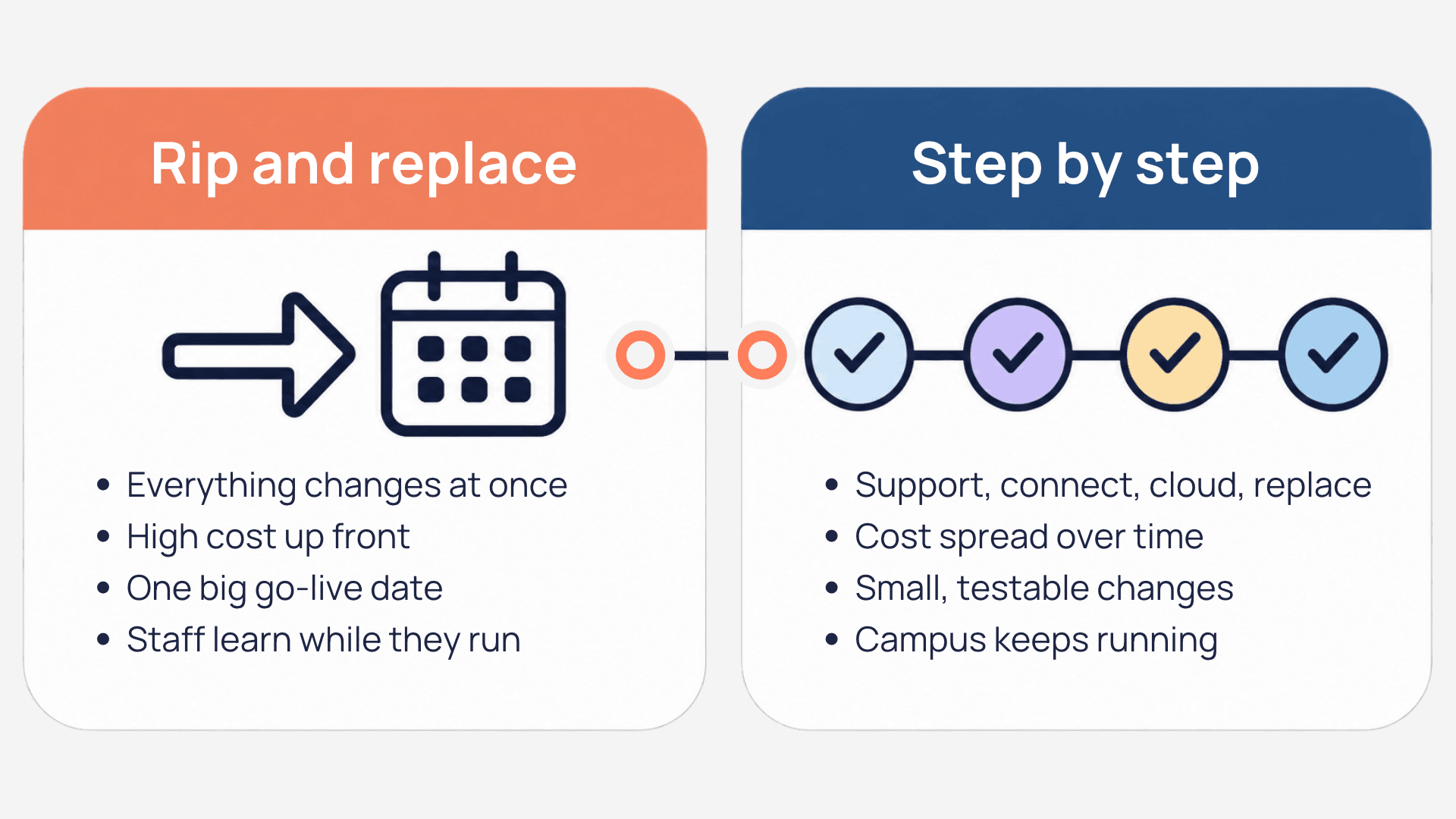
Why "rip and replace" is not the only option
For years, the default answer to an aging system was a full replacement: pick a new platform, move all the data and switch over on a single date. That approach can work. It is also expensive, slow and risky, and it asks staff to learn a new system while they keep the old one running.
Doing nothing is not a real option either. Older systems get harder to secure, harder to support and harder to connect to the tools students now expect.
There is a middle path, and the sector is moving toward it. A ListEdTech analysis of the EDUCAUSE 2026 exhibitor floor and agenda found that modernization is now the foundation: institutions are renewing core platforms, improving integration and strengthening security rather than simply adding new tools. The 2026 EDUCAUSE Top 10 makes a similar point. Its "Measured Approaches to New Technologies" issue recommends assessing legacy systems and technology debt before major purchases, and testing with small pilots before buying at enterprise scale.
Signs a system needs attention now
Not every old system is a problem. These signs suggest yours needs a plan this year:
- Workarounds everywhere. Staff keep side spreadsheets because the system cannot do what they need.
- Manual exports and retyping. Data moves between offices through file uploads or copy and paste.
- Few people know how it works. One or two people hold the knowledge, and they are overloaded or close to retirement.
- Rising support costs. Maintenance, custom fixes and vendor fees grow every year.
- Security gaps. The system cannot support single sign-on, multi-factor authentication or regular updates.
- New tools cannot connect. Every new platform needs a custom project just to share basic data.
If three or more of these sound familiar, it is time to plan.
Modernizing legacy campus systems in four steps
Think of campus IT modernization as four moves you can make at your own pace. Each one delivers value on its own.
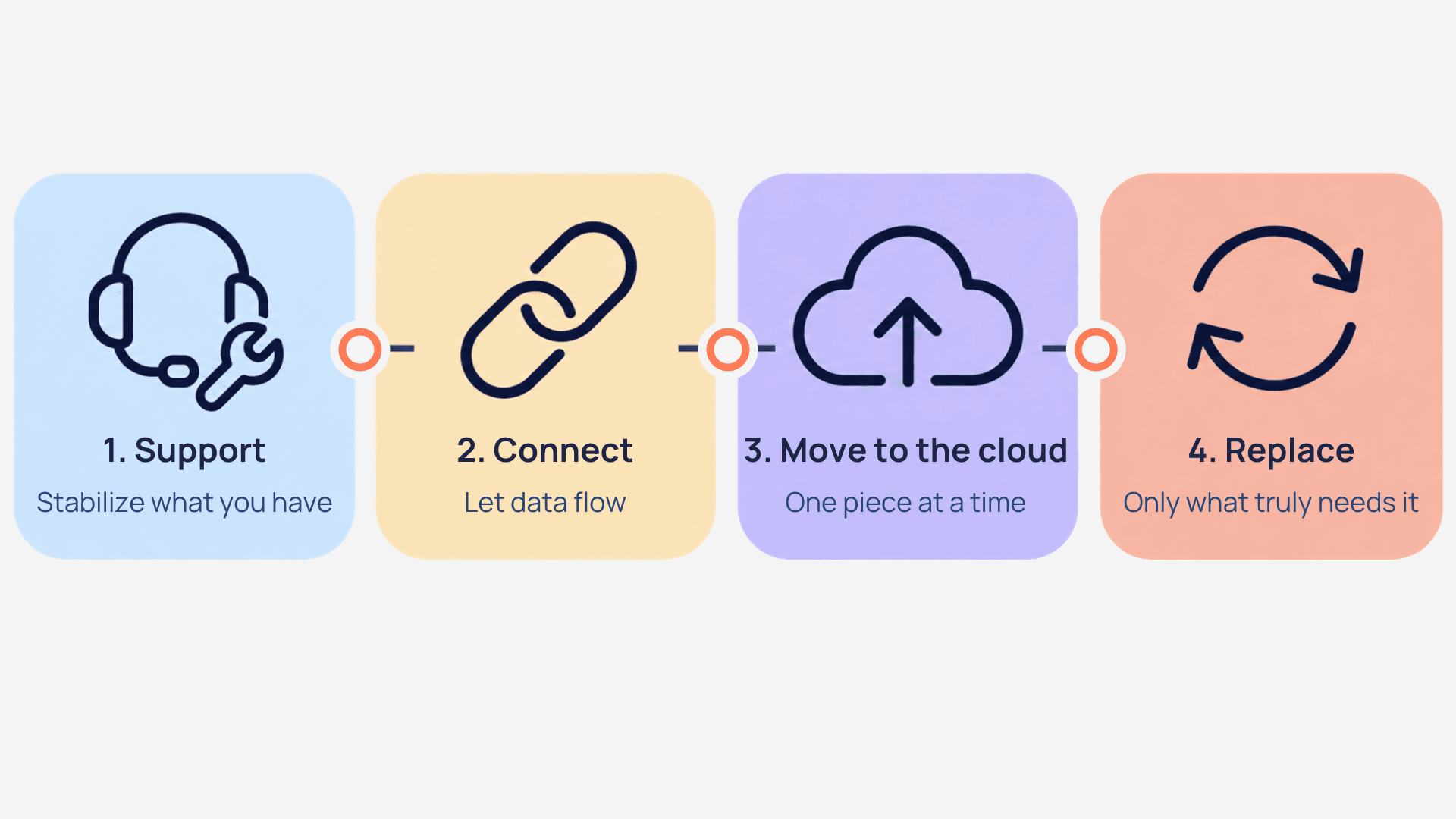
- Support: stabilize what you have. Before you change anything, make sure the current system is reliable. Clear the ticket backlog, document how it works and agree on response times. A stable system buys time to plan.
- Connect: let data flow. Link the old system to newer tools so information moves automatically. This removes manual work and makes the old system less of a bottleneck.
- Move to the cloud: one piece at a time. Shift the parts that benefit most, such as reporting, backups or a single module, instead of moving everything in one weekend. Cloud migration in higher education works best in stages that follow the academic calendar.
- Replace: only what truly needs replacing. Once data flows and the rest is stable, you can replace the one system that is holding you back, with far less risk.
Start with the step that removes the most pain
You do not have to follow the same order for every system. If manual data entry is the biggest daily problem, start by connecting. If outages are, start with support.
Keeping data flowing between old and new systems
Campus system integration is what makes a gradual approach possible. When your SIS, LMS, customer relationship management (CRM) platform and ERP share data automatically, you can upgrade or replace one of them without breaking the others.
A good integration setup gives you:
- Two-way sync, so a change in one system updates the other.
- Clear logs, so you can see what moved and when.
- Failure alerts, so someone knows right away when a sync stops.
- Security from day one, including single sign-on and limited access for each connection.
Talentus Global's EdTech connectors work this way: they sync data in both directions and include an admin portal with logs and failure alerts. Whatever tool you use, review your security baselines before any integration. A framework such as the NIST Cybersecurity Framework helps you keep older systems protected while they run alongside new ones.
Freeing your IT team with managed support
Many campus IT teams spend most of their week keeping old systems alive. That leaves little time to plan what comes next. The 2026 EDUCAUSE Top 10 also notes that technology teams report heavy workloads and understaffing.
Managed support moves the day-to-day work, such as tickets, updates, monitoring and user help, to an outside team with agreed service levels. Your own staff can then focus on the modernization plan and on the projects only they can lead.
Talentus Global offers higher ed managed services and cloud support for SIS, LMS, CRM and ERP platforms, with a fixed monthly subscription and tiered service levels. The goal is not to replace your team, but to give it room to think ahead.
A 12-month modernization plan
A year is enough to make real progress without disrupting the academic calendar. Here is a simple plan by quarter:
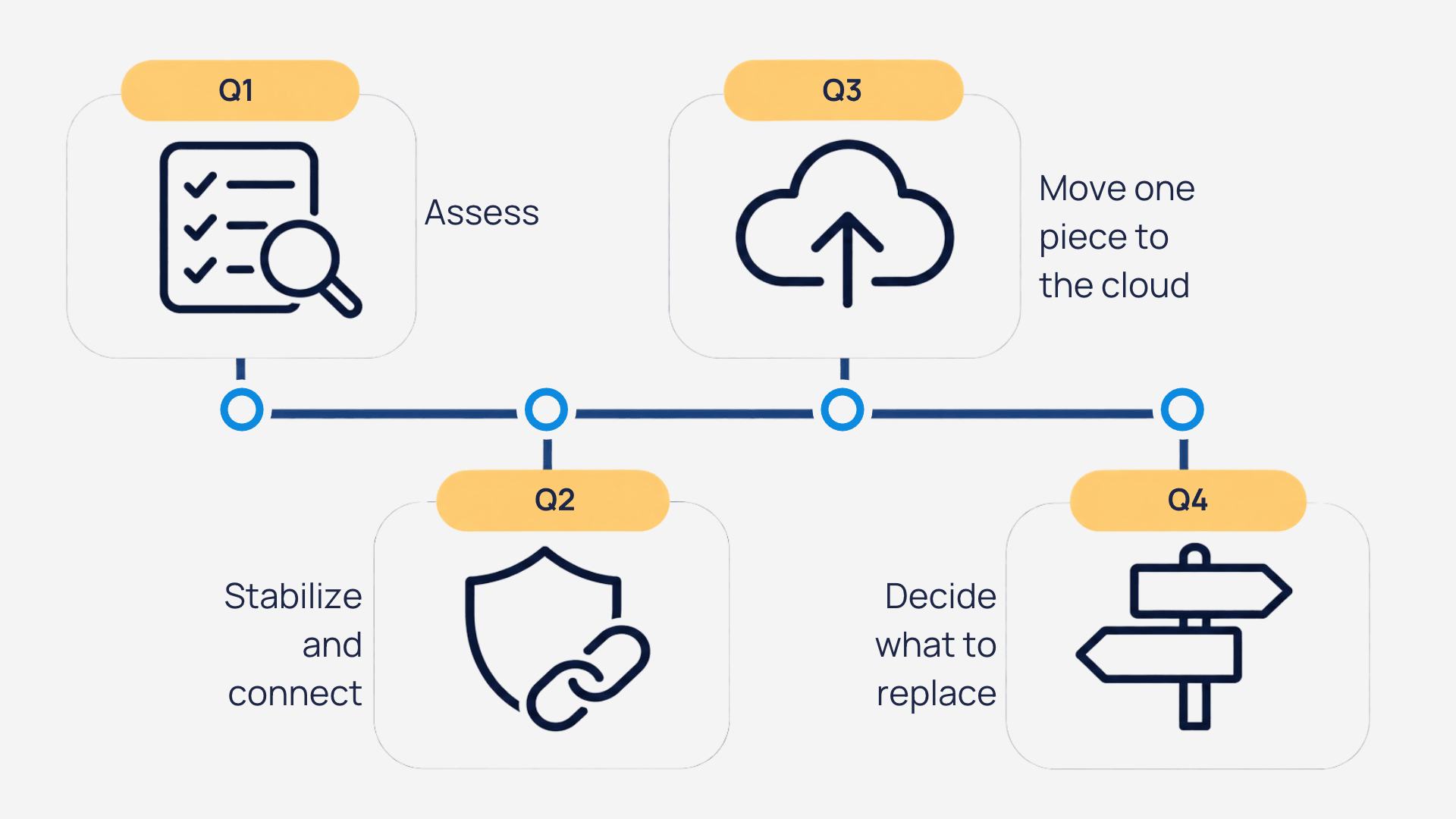
- Quarter 1: Assess. List your systems, how old they are, who supports them and how they connect. Rank them by risk and by daily pain.
- Quarter 2: Stabilize and connect. Put support in place for the riskiest system and automate the most painful manual data transfer.
- Quarter 3: Move one piece to the cloud. Choose a low-risk module or service and migrate it during a quiet period.
- Quarter 4: Decide what to replace. With data flowing and the basics stable, decide whether any system still needs a full replacement, and start that selection with clear requirements.
Review the plan at the end of each quarter. Small wins build trust with leadership and make the next budget conversation easier.
FAQ
What is a legacy system in higher education?
A legacy system is an older platform, often a student information system, ERP or learning management system, that still runs core processes but is hard to update, secure or connect. It may be 10 or 20 years old, depend on a few experts and need manual work to share data with newer tools.
Do we have to replace our SIS to modernize?
No. Many colleges modernize without replacing their student information system. They stabilize support, connect it to other platforms and move some functions to the cloud. Replacement makes sense only when the system can no longer meet your needs, and it is far less risky once data already flows cleanly.
How long does campus IT modernization take?
It depends on how many systems you have and how they connect. Many institutions can complete a first round of assessment, support, integration and one cloud move in about 12 months. Larger changes, such as replacing an SIS, usually follow a longer timeline planned around the academic year.
Is moving to the cloud safe for student data?
It can be, with planning. Check where data is stored, who can access it, how it is encrypted and what the vendor contract says about privacy and deletion. Use a recognized framework, such as the NIST Cybersecurity Framework, to review security before, during and after each migration step.
Next step
Not sure where to start? Talk to an EdTech specialist about a step-by-step modernization plan for your campus. Together we can decide which systems to support, connect, move or replace first.