Every integration on your campus was the right call on the day someone made it. Put them side by side and the picture changes: plugins nobody can monitor, flows only one engineer understands, connections with no clear owner. Here are four questions to ask before the next one, so your answer is consistent instead of accidental.
EdTech connectors are one of four ways to link campus systems, alongside native plugins, generic iPaaS platforms and custom builds. Compare them on four criteria: security, sync direction and frequency, monitoring, and support. No option wins on all four, so the right choice depends on what you connect and who owns it after launch.
Most campuses already use all four approaches, usually without a plan. A shared framework turns a string of one-off decisions into a repeatable one.
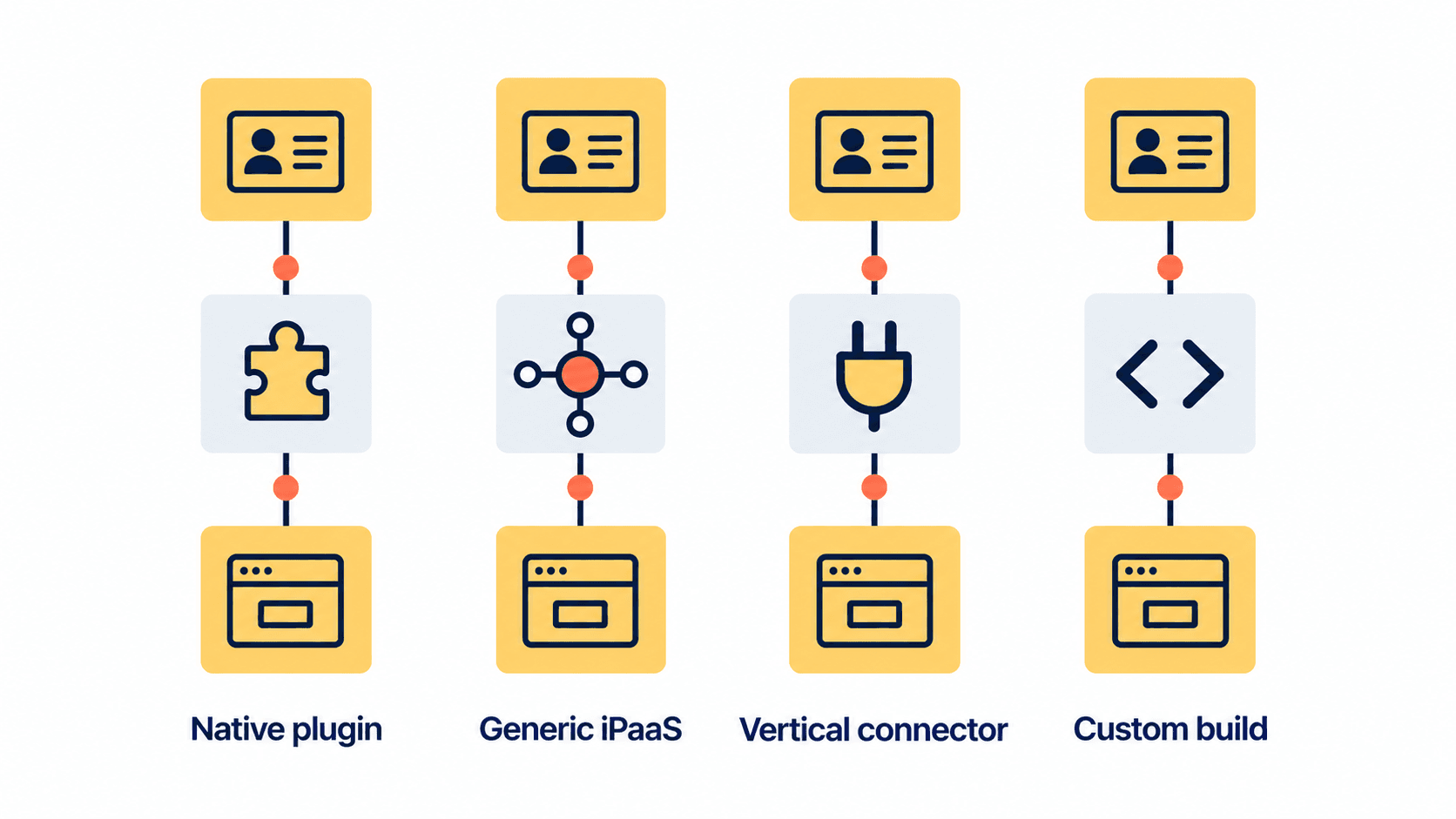
Four ways to connect campus systems
Native plugin
Built by one of the two vendors and switched on inside the product. It is quick and often included in the license, but it does only what that vendor chose to build.
Generic iPaaS
An integration platform as a service that can connect almost any system. It is flexible and powerful. As a higher education iPaaS, though, it starts without knowledge of campus data models, so your team designs, builds and maintains every flow.
Vertical connector
Prebuilt for specific higher education systems and maintained by the provider. It is less flexible than an iPaaS, and much faster to launch. Talentus Global's Connectors Marketplace is one example of an EdTech integration platform built this way: it covers SIS, LMS, CRM, ERP and financial aid systems, including PowerFAIDS, and runs on Azure, AWS or Google Cloud.
Custom build
Your own code against each system's APIs. It does exactly what you need, and you own every line of it for as long as it runs.
Before comparing, check which standards each option supports. 1EdTech's LTI 1.3 connects learning tools to the LMS, and OneRoster 1.2 exchanges rosters, course materials and grades between systems. An option that speaks these standards needs less custom work.
Criterion 1: security
Ask the same questions of every option:
- Where are the credentials stored, and how are they encrypted?
- Can you limit the integration to the records and fields it needs?
- Do administrators sign in through your campus identity provider?
- Where is it hosted, and who at the provider can see your data?
A native plugin inherits its vendor's controls, which is a strength and a limit. An iPaaS has strong platform controls, but the safety of each flow depends on how your team configures it. A vertical connector depends on its provider, so ask for documentation. A custom build is exactly as secure as your team makes it and keeps it.
Criterion 2: sync direction and frequency
Map what has to move, in which direction and how often. A typical LMS SIS integration sends enrollments from the SIS to the LMS before the term starts and returns final grades from the LMS to the SIS at the end. Rosters may need hourly updates during add/drop and daily ones after that.
Native plugins often sync one way on a fixed schedule. Vertical connectors usually offer bidirectional sync with intervals you can set. An iPaaS or custom build can do anything, as long as someone builds it. For a worked example of direction and timing, see our blueprint for integrating CRM and SIS.
Criterion 3: monitoring and alerts
Integrations fail quietly. A sync stops, nobody notices, and a week later faculty are grading from the wrong roster. The test is simple: when a sync fails, who finds out, and how fast?
- Your team can read the sync logs without opening a ticket.
- Failures trigger an alert to a monitored queue.
- A dashboard shows the status of every connection in one place.
As a reference point, Talentus Global's connectors include an admin portal with sync logs, configurable sync intervals and alerts when a sync fails. Whatever you choose, set the bar there.
Criterion 4: support and ownership
Every integration breaks eventually, usually when one vendor changes its API or a major upgrade lands before term. Decide now who fixes it.
- Native plugin: the vendor supports it, on the vendor's own roadmap and timeline.
- Generic iPaaS: the platform is supported; the flows you built are yours to fix.
- Vertical connector: the provider maintains it through API changes, under the terms of your agreement.
- Custom build: your team, permanently, which in practice often means the one person who wrote it.
Ask about response times, upgrade testing before term starts, and how you exit if the relationship ends.
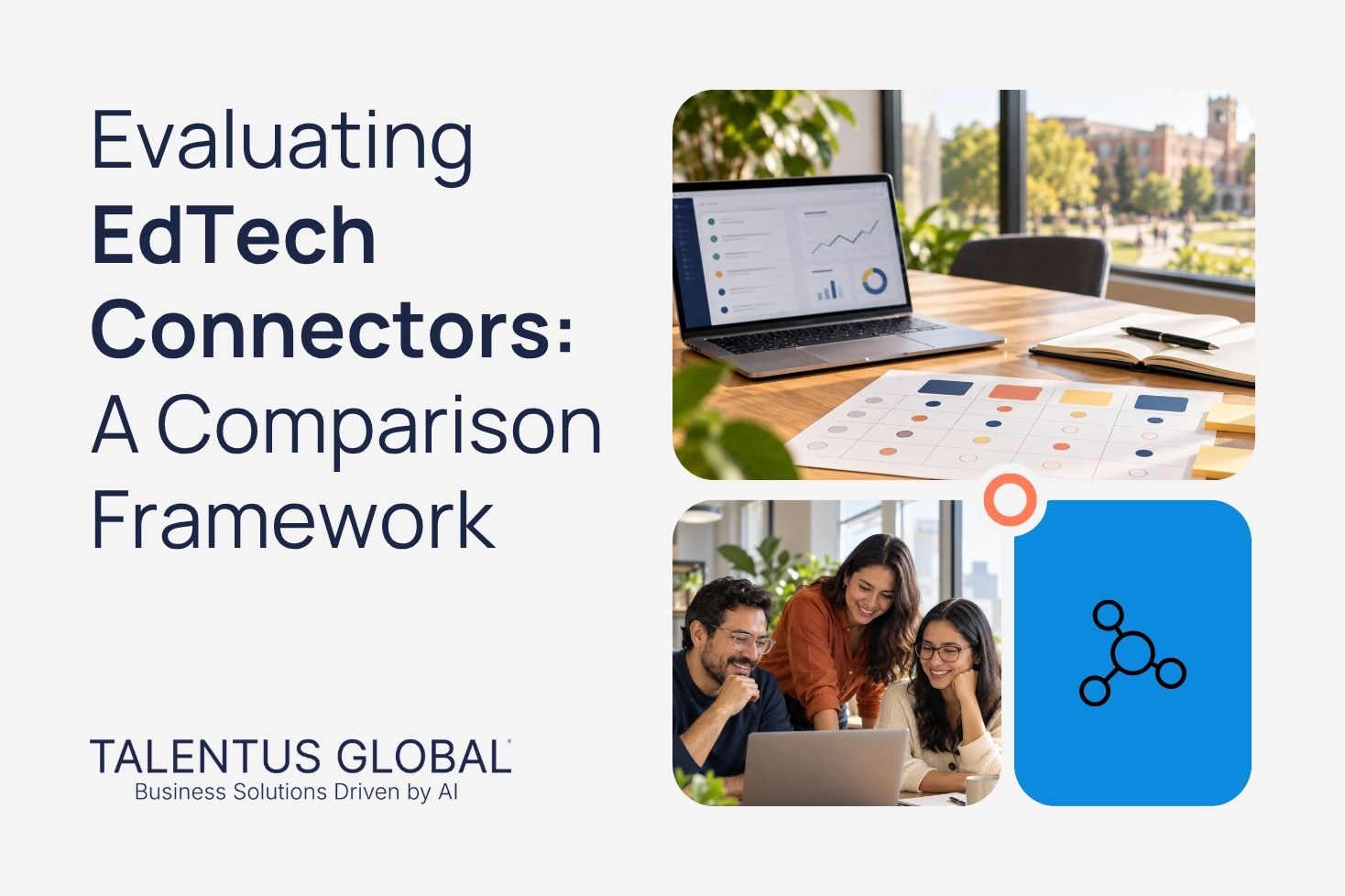
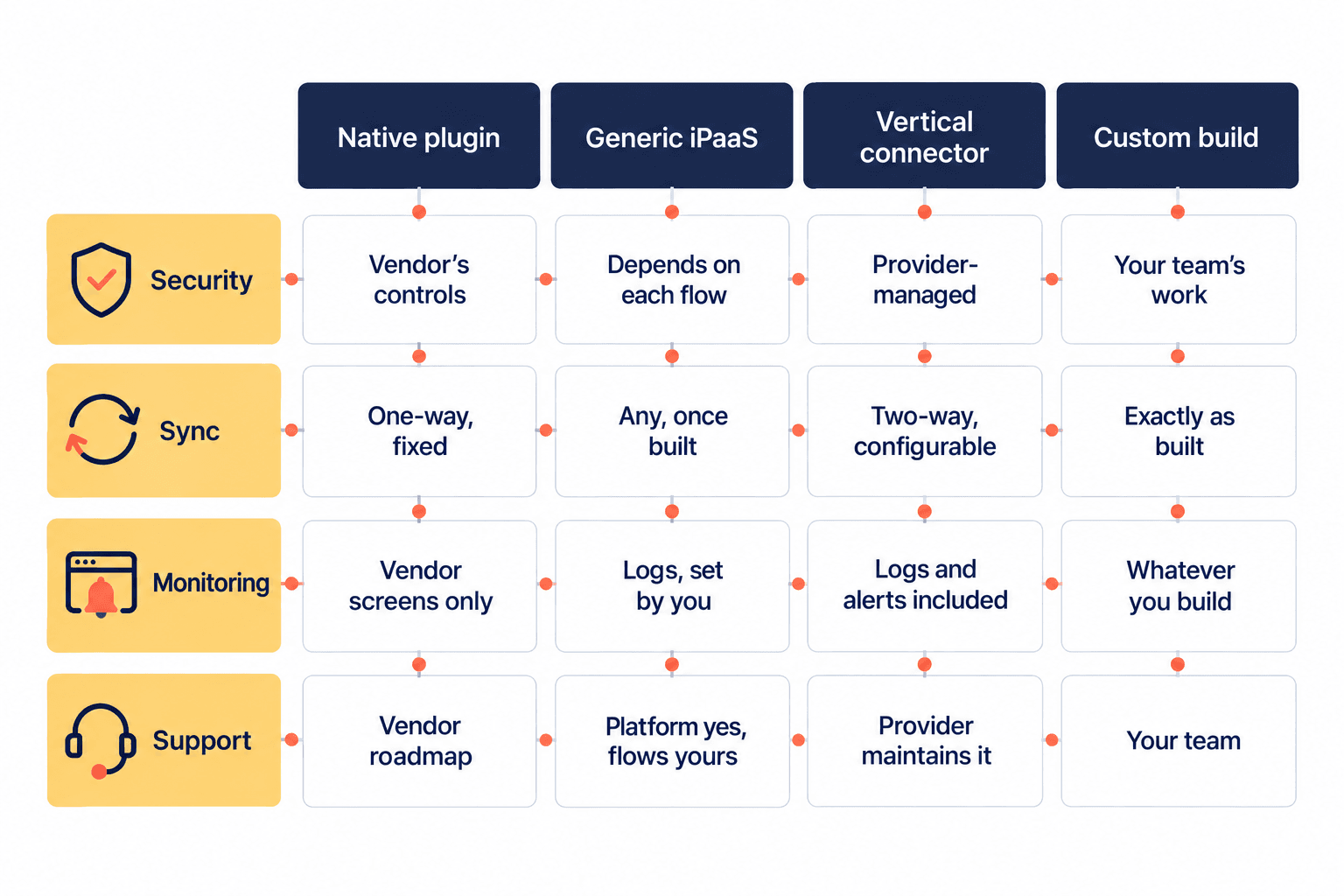
EdTech connectors comparison scorecard
Use this scorecard to compare options side by side.
Security
- Native plugin: inherits the vendor's controls
- Generic iPaaS: strong platform controls; each flow depends on your team
- Vertical connector: provider-managed; ask for documentation
- Custom build: as strong as your team makes it
Sync direction and frequency
- Native plugin: often one-way on a fixed schedule
- Generic iPaaS: any direction and schedule, once built
- Vertical connector: bidirectional with configurable intervals
- Custom build: exactly what you build
Monitoring
- Native plugin: limited to the vendor's admin screens
- Generic iPaaS: full logs and alerts, configured by you
- Vertical connector: logs, dashboards and alerts included
- Custom build: whatever you build and maintain
Support
- Native plugin: vendor-supported, on its roadmap
- Generic iPaaS: platform supported; flows are yours
- Vertical connector: provider maintains it
- Custom build: your team, permanently
When custom-built beats a native plugin
The native plugin vs custom integration decision is not about which is better. It is about fit. Custom wins when:
- The process is what sets your institution apart, such as program-specific admission or advising rules.
- The plugin syncs the wrong fields, the wrong direction or too rarely, and the vendor has no plans to change it.
- You have a team that will own the code for years, not just build it.
Custom loses when a standard or a maintained connector already solves the problem. Writing your own roster sync when OneRoster exists adds debt, not value. The 2026 EDUCAUSE Top 10 makes the same point under "measured approaches to new technologies": weigh cost, return and legacy systems before you build.
Check the vendor ecosystem too. Instructure's developer documentation for Canvas covers LTI and its data services, which tells you what you can build on. On the SIS side, Thesis Elements lists Talentus Global as an integrations partner on its partnerships page, and you can see how Talentus Global supports student information systems.
FAQ
What are EdTech connectors?
EdTech connectors are prebuilt integrations that move data between campus systems, such as an SIS and an LMS, without custom code. A provider builds and maintains them for common records like students, courses, enrollments and grades. Institutions configure them instead of building them, which shortens launch time and moves maintenance to the provider.
What is the difference between an iPaaS and a vertical connector?
An iPaaS is a general integration platform. It can connect almost anything, but your team designs, builds and maintains each flow. A vertical connector is prebuilt for specific higher education systems, so it knows their data models from the start. You trade some flexibility for faster setup and less upkeep.
Are native plugins secure enough?
Often, yes, because they inherit the security of the vendor that built them. Check three things anyway: what data the plugin can reach, whether admins sign in through your identity provider, and whether your team can see its sync logs. A secure plugin you cannot monitor still leaves a blind spot.
How many integration approaches should a campus use?
Most campuses end up using more than one, and that is fine. The goal is not a single tool for everything. It is a clear rule for which approach to use when, plus one place where your team can see the health of every integration, however it was built.
Next step
Comparing options for your next integration?
Explore the Connectors Marketplace to see which systems are ready to connect. The site says connectors are enabled within a week.
Want a second opinion on your shortlist? Talk to an EdTech specialist.